
PULSE eCommerce works with all versions of Macola® software. It allows you to import and automatically create customer orders from your website, Amazon, Wayfair, Yahoo, Walmart, etc., text file, Excel spreadsheet, or web-based EDI service. Your customers or sales reps can also submit orders using Excel spreadsheets.
NEW Feature: eCommerce Unattended version
With our eCommerce unattended version, customer orders can be imported in real-time so you do not have to rely on a staff member to manually download files periodically throughout the day. This new feature automatically downloads files, validates the data, and imports the good orders into Macola®. E-mail messages are automatically sent if an order needs correction.
PULSE eCommerce can also transmit backtracking numbers. This allows your customers to conveniently track their orders and reduce call volumes to your office.

Who needs PULSE eCommerce Software?
PULSE eCommerce totally eliminates manual keying and imports customer orders directly into Macola® from:
– Your company eCommerce website
– Text files
– Web-based EDI services
– Excel spreadsheets
– Amazon/Wayfair/Walmart/Yahoo, etc.
How does PULSE eCommerce work?
Step 1
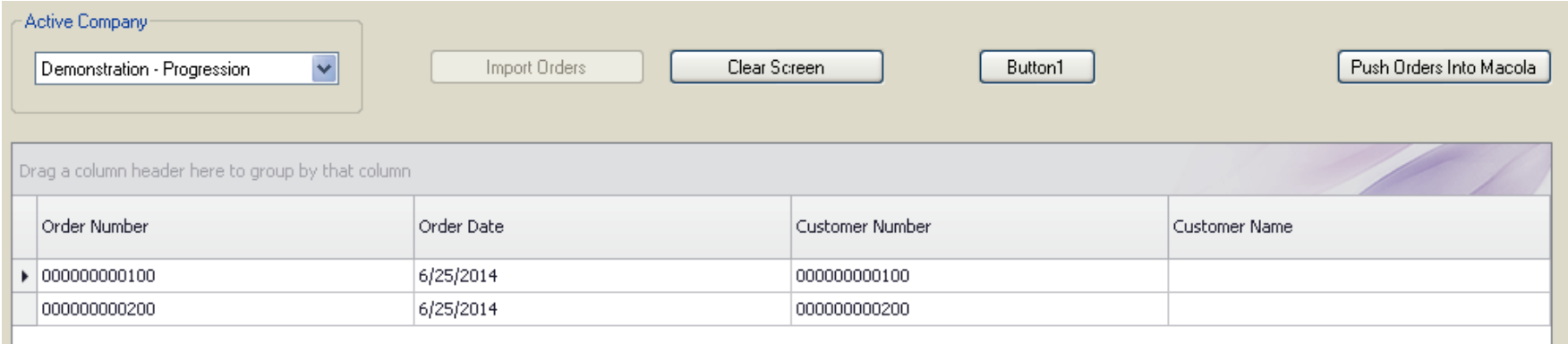
PULSE eCommerce reads your files of orders from your eCommerce website or any other external source and can be in any format (ex. text, Excel spreadsheet, XML). Order data is validated in real-time and errors are highlighted in red.
Step 2
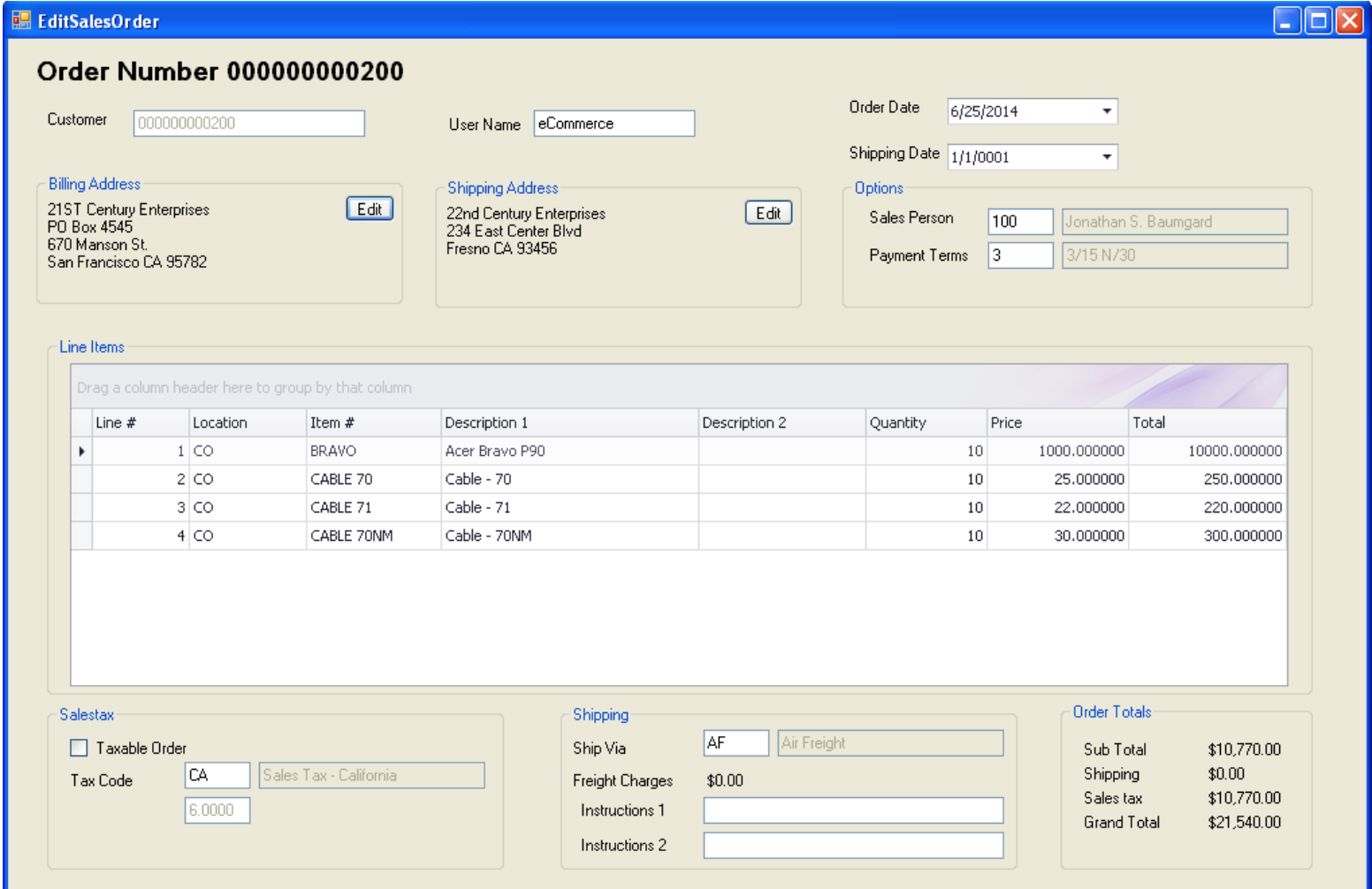
If an order has errors, you can click on the order to see the details (see the screen above) and correct the error before pushing the order into Macola®.
Step 3
If there are no errors, click on the ‘Push Orders into Macola®’ button to create the customer orders.
Step 4
After each customer order is shipped, our software can export and transmit a file of tracking numbers.
Using the Event Manager software, you can optionally send an e-mail notification to your customer service personnel of incoming orders or an acknowledgment back to your customer.
Key Features and Benefits
Tedious keying and proofreading are eliminated.
You will be able to better manage your customer orders.
We provide unlimited phone support.
How much does PULSE eCommerce cost? What is included?
Please refer to our price list. The first six hours of customizations are included in the price of the software. Additional customizations to meet your unique needs, testing, training, and implementation assistance are invoiced separately. Our annual maintenance and support fee includes unlimited ongoing training, telephone support, and software updates.
Automated eCommerce Order Import for Macola®
PULSE eCommerce eliminates manual keying of customer orders by automatically importing them from eCommerce websites, text files, Excel spreadsheets, and EDI services. Contact us for more information or a demonstration of PULSE eCommerce.